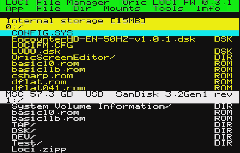
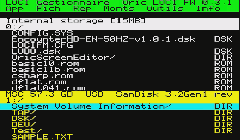
| NOTES : | LOCI FIle Manager is a full-screen file manager for the LOCI mass storage device on the Oric Atmos home computer. It lets you browse, copy, move, delete, and rename files on LOCI-connected storage; mount and unmount disk, tape, and ROM images; and boot from mounted media.
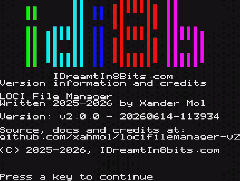
This is version 2 — a complete rewrite using the Oscar64 C compiler targeting the 6502A bare-metal (no ROM calls). The v1 CC65 implementation is at locifilemanager.
Available in English and French.
Current status: The v2 application is feature-complete — it covers the full v1 feature set plus the new v2 features listed above (recursive copy/move/delete, mid-copy cancellation, name and type filters, text viewer, properties popup), and is covered by an automated test suite (make test).
For more information about the LOCI device itself, see the LOCI User Manual.
Features:
Browse both the internal storage of the LOCI and all connected USB mass storage devices
Two browser panes with two independently loaded directories
Copy and move files and directories (including their full contents) between panes
Delete and rename files and directories, including recursive deletion of non-empty directories
Create directories
Copy, move and delete based on a user-made selection of multiple files
Cancel a file copy mid-transfer with ESC; any partial destination file is removed automatically
Filter the directory listing by file type, or by a wildcard filename pattern
View the contents of text files in a full-screen, word-wrapped, paged viewer
Show properties (type, attributes, size) for a file or directory, including a recursively calculated total size for directories
Mount disk, tape, and ROM images
On exit, boot based on mounted images (disk > tape > ROM)
Browse inside a tape image to select a file on the tape to mount/boot
IJK joystick interface supported: browsing and all menu operations can be done via joystick
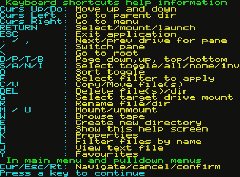
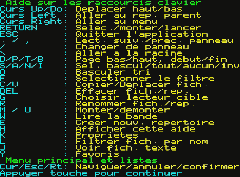
Both menu and keyboard driven
Source fully public, includes a LOCI API library for your own projects
Latest release:
https://github.com/xahmol/locifilemanager-v2/releases/download/v2.0.1/locifm-v2.0.1-20260622-120327.zip
(Instruction manual is in the ZIP file)
|






 LOCI FILE MANAGER V2


















 Built in 0.17 Seconds